
Ultimate Incident Report Form Template for Workplace Safety
Make it easier to report what happened—and give your team the details they need to respond.
A well-designed incident report form is central to a comprehensive incident management process. Capturing core information gives teams a starting point for investigation, corrective action and efforts to prevent similar incidents.
Your template can be customized for workplace injuries, property damage, environmental incidents and near misses. The aim is a clear, consistent record that helps reviewers understand the event and organize the next steps.
See how a worker can scan a QR code, open a reporting form on their phone and submit the details. Then explore the essential fields below to shape the form around your workplace.
A worker approaches the site’s incident reporting sign.
A practical structure for your template
Essential Fields for Your Incident Report Form
The categories below help provide a complete picture of an incident. Start with the basic facts, include the details relevant to the event and record any notification or escalation required through your organization’s process.
Not every incident needs every field. Configure the template for the scenarios your team handles, and distinguish recorded observations from conclusions reached during a later investigation.
1. Initial Incident Information
Capture the basic facts of the event. Clear initial information helps the reviewer locate the occurrence, understand who reported it and identify what needs follow-up.
Date, Time & Location
Record when and where the incident happened. Include the site, area or workstation details that help another person identify the location.
Personnel & Reporting
Record the name and position of the person logging the incident, who it was reported to and whether the reporter witnessed the event.
Detailed Description
Describe what happened, what the person was doing and the observed conditions or contributing factors. Keep the sequence clear and factual.
Immediate Actions
Document the steps already taken in response and whether further action is required. This helps the reviewer distinguish completed actions from outstanding work.
2. Incident details
Add the specifics relevant to the occurrence, especially where a workplace injury is involved. Collect necessary information through the appropriate reporting process.
Incident Severity & Lost Time
Record the known impact and any lost work time using your organization’s classifications. Update the record when further information becomes available.
Injured Person’s Information
Include the person’s name, role and employment status where needed. Collect demographic or other personal details only when relevant to the reporting requirements.
Injury Specifics
Record the body part affected, the reported mechanism of injury and the nature of the injury, using available information without guessing a diagnosis.
Initial Treatment
Document the immediate care reported as provided and relevant follow-up information. Handle sensitive details according to your access and privacy procedures.
3. Notification & Escalation
Record the level of reporting required and the people responsible for reviewing it. A completed form supports this process; it does not replace required notifications.
Notifiable Incident
Include fields that prompt the responsible person to assess whether regulator notification is required under the applicable rules. Record the decision, owner and relevant notification details.
Police & Other Reports
Record whether a police report or other notification was made, where applicable. Include relevant reference numbers and follow-up information without assuming every event needs the same escalation.
Try the reporting experience
Example Incident Report Form
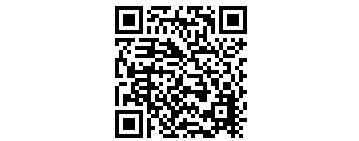
Try scanning the QR code with your phone to access the example incident report form. This is the original sample QR code from your page.
QR access gives workers a direct starting point for reporting from the field. Keep the form instructions clear so people understand what information to provide and how the report will be followed up.
The QR code here is the real sample. The sign in the animation above is an illustration.
Another way to capture the details
AI Voice to Text Incident Reporting
Workers can describe an incident through natural conversation and add photos and notes. AI can help turn that unstructured information into a report for review, reducing the amount of manual typing involved.
Keep the worker’s observations connected to the supporting evidence. Review the captured information, correct any errors and confirm the details before approving or submitting the report.
- Voice notes captured in real time
- Photos and video for additional context
- Multiple languages supported
- Review, make edits or approve
Illustrative voice-to-report example
“At around 9:15, I saw a trolley strike a storage rack in the loading area. I notified the supervisor.”
Example information only. The captured draft still needs review.
Build the form around your workplace
TRY CREATING YOUR OWN INCIDENT REPORT FORM
Ready to create a professional incident report form? Use our incident report form builder and template library to establish a reporting process that matches the information your organization needs.
Select and customize a pre-built template, or build your own form from scratch. Organize the sections, choose relevant fields and give workers clear instructions so the report is useful to both the person completing it and the team reviewing it.
Connect the initial report with your investigation and corrective-action processes so the information can support meaningful follow-up. A well-structured template makes it easier to capture consistent records across different incident types.
Your next incident report starts with a better form.
Explore the template library and create a process your team can use.